Stark Voice
Real-time voice agent on Gemini Live. Dictate instructions, query the project record and get instant answers on site.
Tafvox · The voice copilot for the job site, connected to your BIM environment
You don't have to switch software or upload PDFs by hand. Connect your BIM 360 with one click and Tafvox reads the DWGs you already have hosted.
Cut technical review time from 3 days to 4 hours before you pour concrete.
See the voice copilot answer over a real project record.
Capabilities
Six capabilities built for the site: talk to the drawing, read your DWGs where they already are, and decide in time.
Real-time voice agent on Gemini Live. Dictate instructions, query the project record and get instant answers on site.
The AI engine continuously monitors revisions, dates and owners. It flags risks before they escalate.
Ask about any document in natural language. Grounded answers with exact citations and drawing numbers.
Generate a QR code per drawing that field staff scan to see the latest approved revision — no account needed.
Review-and-approve flow with a full history. Every decision is traced: who approved, when and why.
Connect your BIM 360 / Autodesk Construction Cloud with one click: Tafvox reads the DWG, DXF and PDF files you already have hosted, with no migration and nothing to upload by hand. Filter, count and query on the Autodesk viewer, by voice or text.
Product
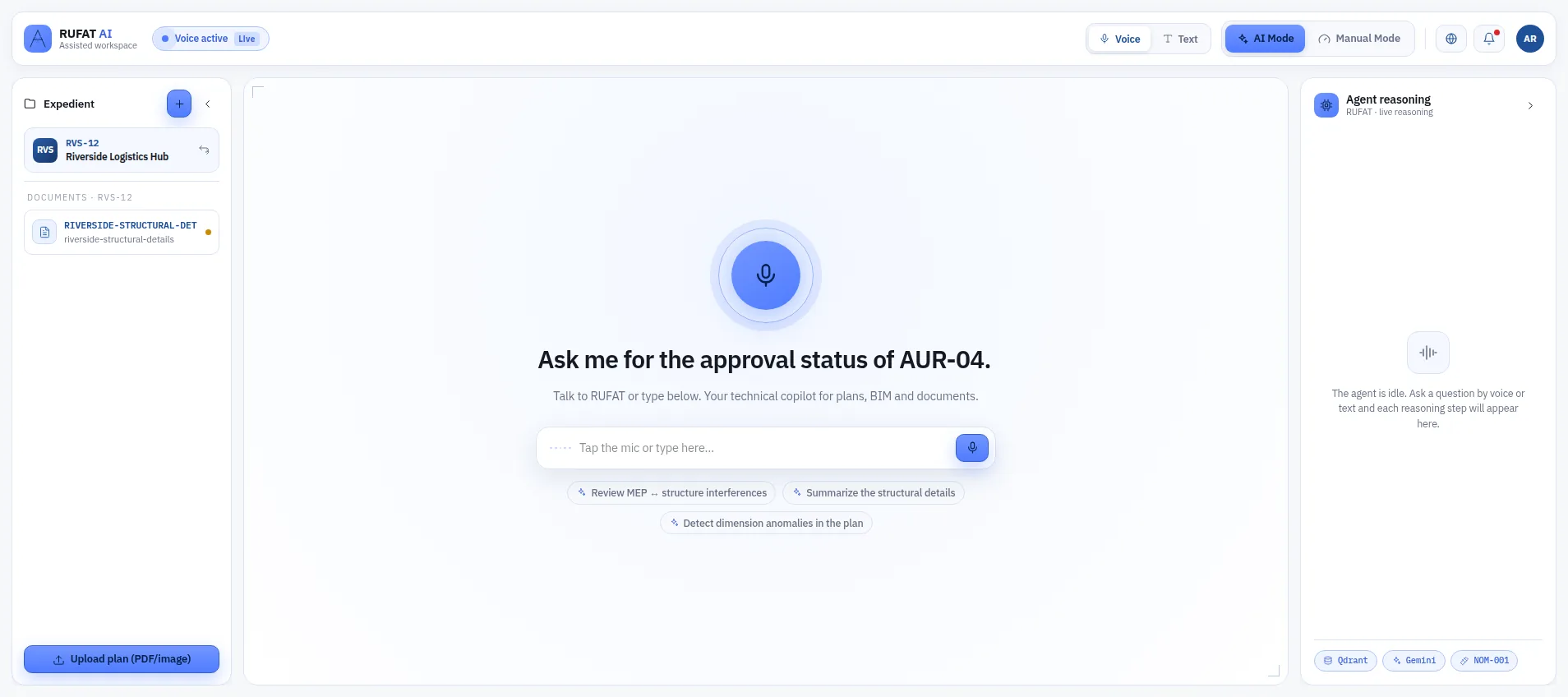
AI panel · Agent mode
Stark answers in natural language, grounds every reply in the real record and suggests concrete actions.
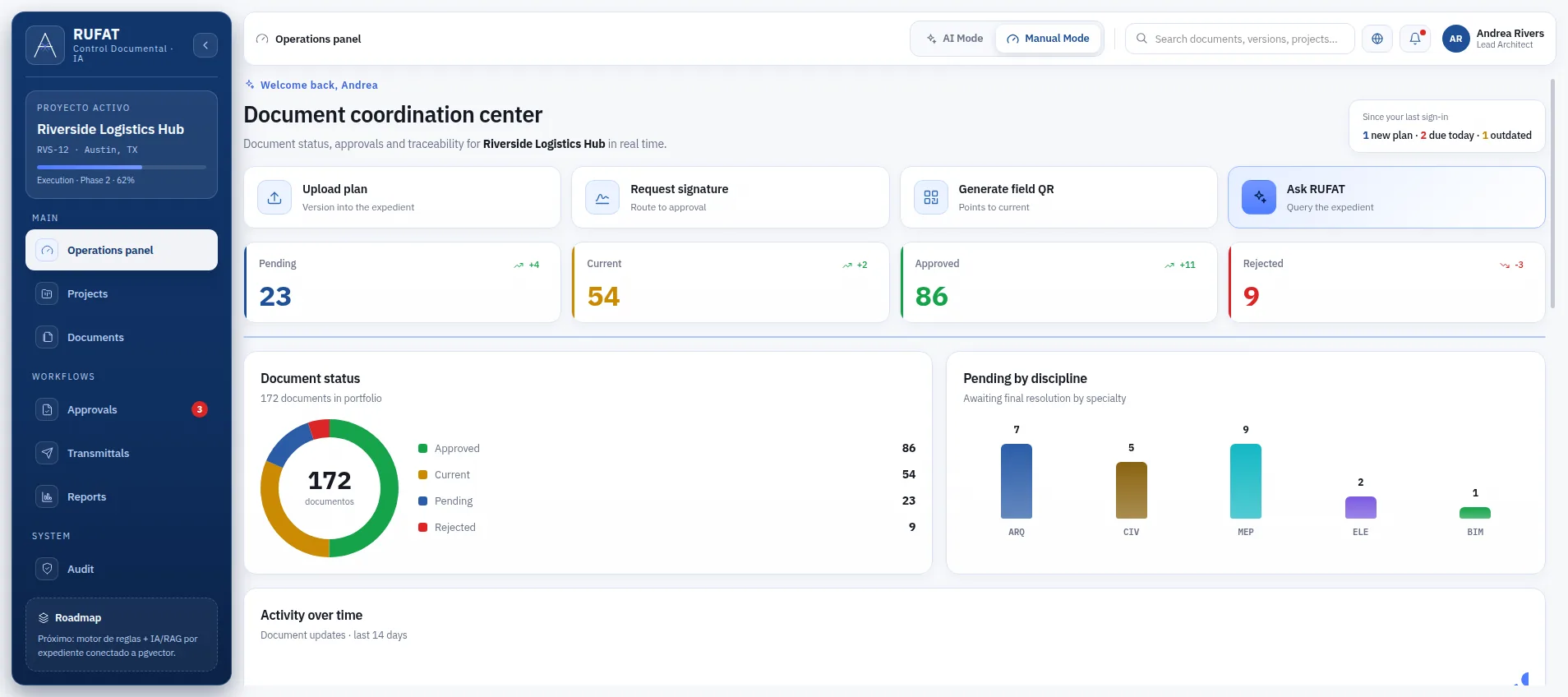
Dashboard · Overview
Key indicators for pending reviews, overdue deadlines and team workload — all in real time.
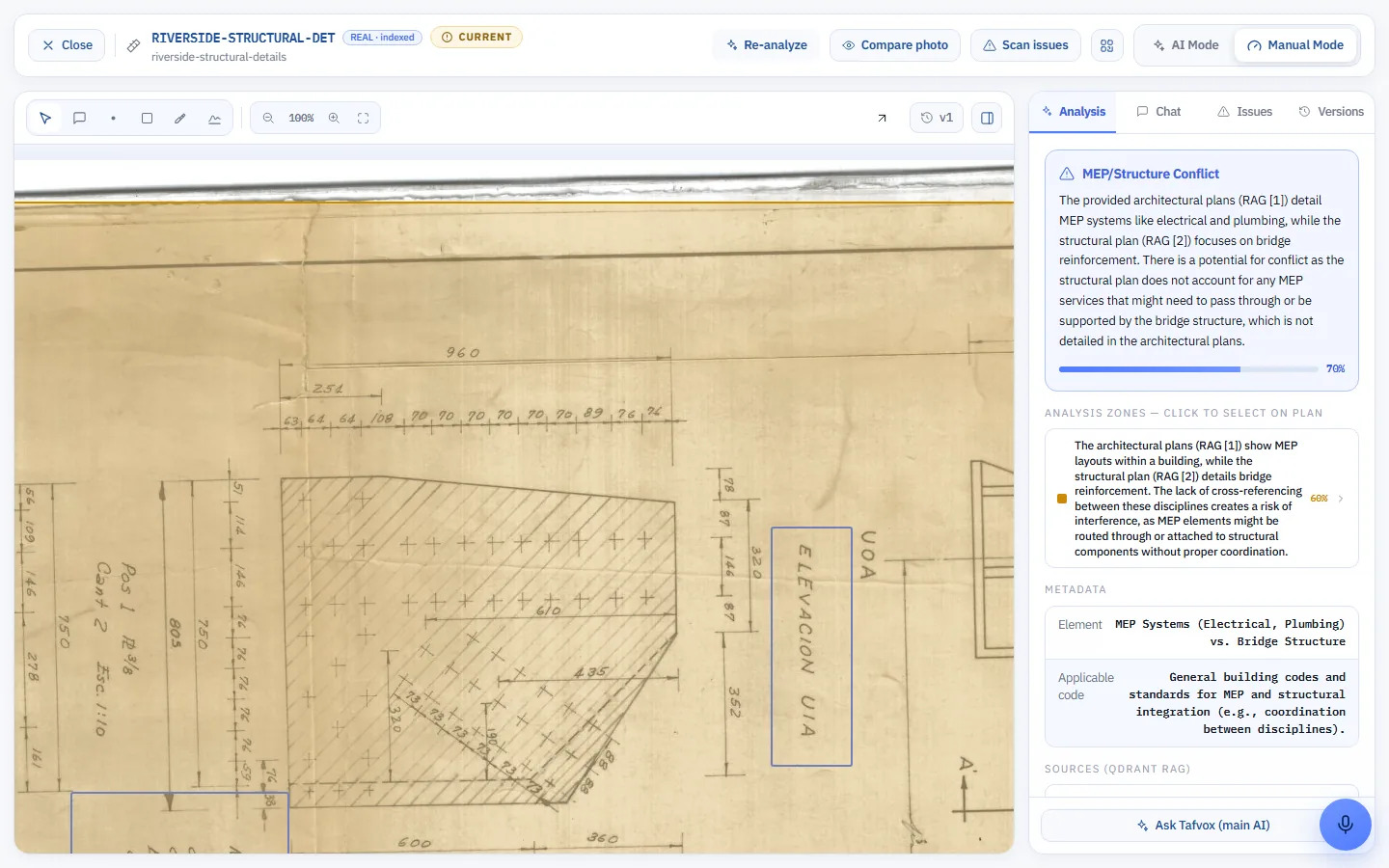
AI Insights · Anomalies
Automatic record analysis: the engine detects inconsistencies, at-risk dates and uncovered owners.
Process
One click and Tafvox sees the DWGs you already have hosted. No software migration and no uploading PDFs by hand.
Ask by voice or text: how many staircases are there, filter by parking spaces, what does that dimension say. Stark answers over the real model, with its source cited.
Technical review goes from 3 days to 4 hours: you catch the inconsistency before pouring concrete, not after.
Trust
FAQ
No. You connect your BIM 360 (Autodesk Construction Cloud) with one click and Tafvox reads the DWGs you already have hosted. There is no migration and no manual PDF upload.
Yes. Besides text PDFs, Tafvox reads scanned drawings and images with OCR, and AutoCAD DWG and DXF files directly: texts, dimensions and title-block data.
PDF, JPG, PNG, WEBP, HEIC, DWG and DXF. Upload the DWG straight from AutoCAD, no PDF export needed. IFC (BIM) support is on the way.
Every answer cites the document and page it comes from, so you can check it. If your record does not contain the answer, Stark says so instead of guessing.
The interface, the voice assistant and the answers are available in Spanish, English, French and German.
Each company works in an isolated space, with roles (admin, architect, reviewer, viewer) and an audit log of every action. Files are kept in private storage and opened through signed links.
Yes. In the demo we work on one of your drawings so you can see what Stark catches in a real case.
At this stage we do not sell licenses: we propose a free proof of concept with a real set of your site's drawings. We only discuss a paid plan once the pilot proves the time saved.